
Automated Screenshot Monitoring with Built-In Privacy
Capture work evidence automatically
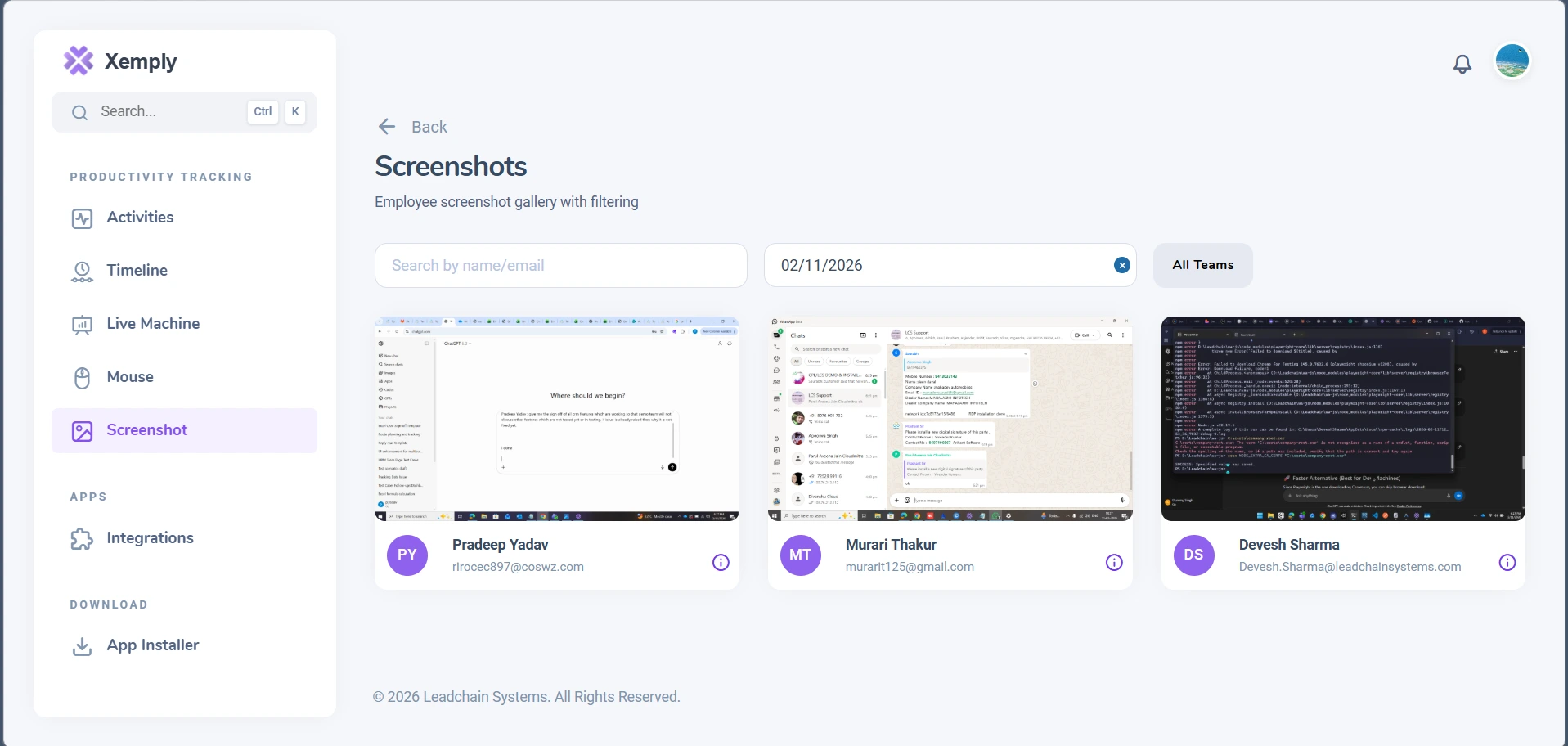
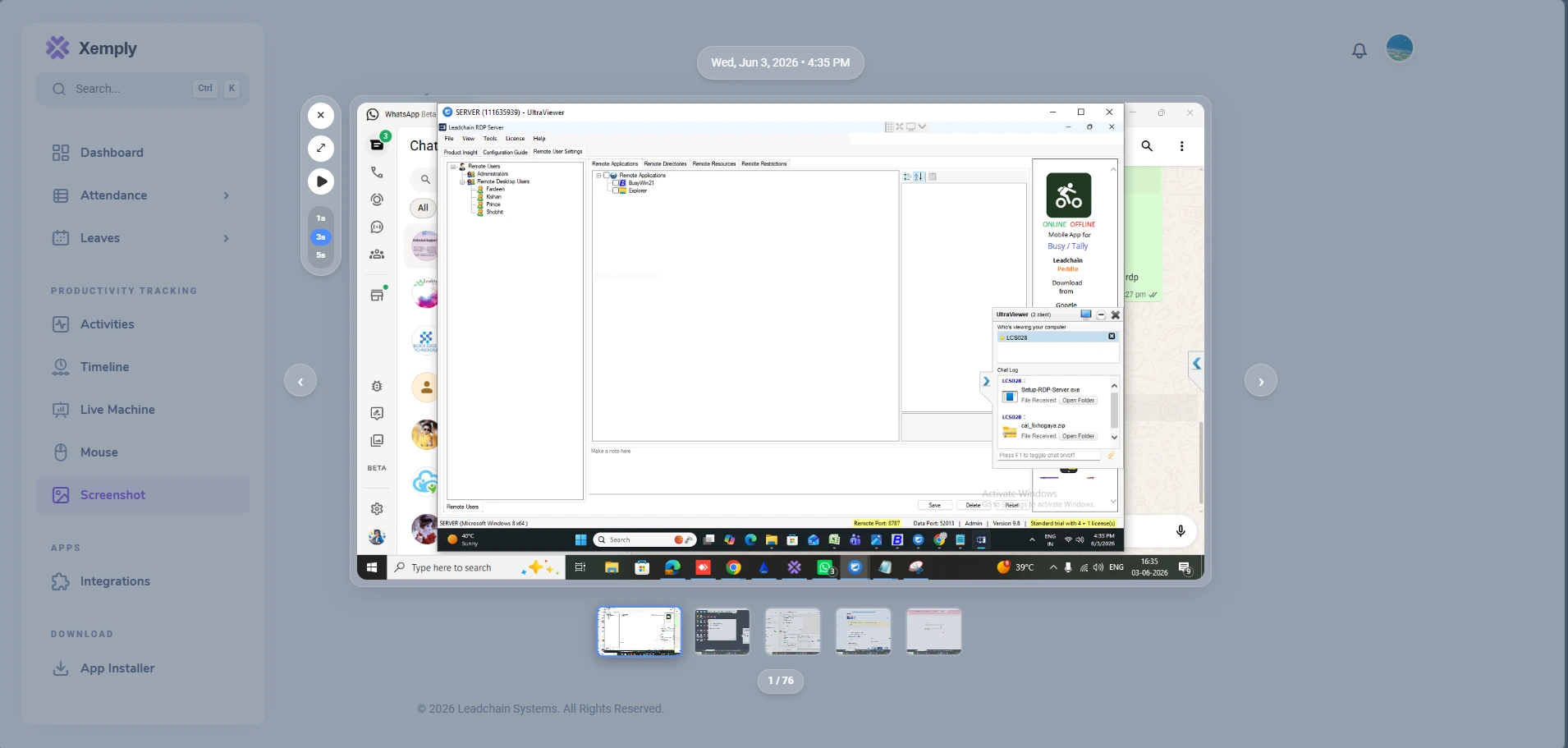
Xemply automatically captures screenshots of employee screens at configurable intervals, providing visual proof of work without invasive real-time surveillance. Smart privacy controls let you blur sensitive areas, and employees can flag or delete personal screenshots.
What It Does
The Smart Screenshots module automatically takes screen captures of employee devices at intervals defined by the administrator — from every 5 minutes to every hour. Screenshots are stored securely, searchable by employee and date, and provide managers with visual confirmation of work being done.
Problems It Solves
- Inability to verify remote employee claims about work activity
- Client disputes about hours billed without visual evidence
- No way to identify if company devices are being used for non-work purposes
- Lack of visual context when investigating productivity anomalies
- Difficulty auditing work compliance in regulated industries
Key Business Benefits
- Resolve client billing disputes with timestamped visual evidence
- Deter time theft without invasive real-time surveillance
- Provide visual context for productivity analytics and performance reviews
- Meet compliance requirements for work verification in regulated sectors
- Build trust with remote employees through transparent, fair monitoring
See It in Action
A seamless experience designed to give you complete visibility into your workforce.
Core Capabilities
Everything you need to manage, monitor, and improve your workforce in one powerful platform.
Configurable Capture Intervals
Set screenshot frequency from every 3 minutes to once per hour. Configure per team, department, or individual role.
Smart Blur & Privacy Controls
Automatically blur or redact sensitive information like passwords, banking details, and personal data from captured screenshots.
Timestamped Evidence
Every screenshot is automatically tagged with employee name, device, timestamp, and active application for clear audit trails.
Searchable Screenshot Archive
Browse, filter, and search screenshot archives by employee, date range, or active application.
Employee Deletion Rights
Employees can flag and request deletion of screenshots captured during personal activity, respecting privacy boundaries.
Random Interval Mode
Enable randomized capture timing within a set window to prevent employees from gaming fixed-interval screenshots.
Low-Resolution Mode
Capture lightweight, lower-resolution screenshots for bandwidth efficiency while retaining enough detail for work verification.
Per-App Screenshot Rules
Define rules to skip screenshots when specific sensitive applications (e.g., personal banking apps) are in focus.
Built for Every Team Structure
Whether you're managing a five-person startup or a global enterprise, Xemply adapts to how your team works.
Remote Teams
Provide managers and clients with visual verification of remote work without constant check-ins or video calls.
Hybrid Teams
Apply consistent work-verification standards across both in-office and remote employees for fair performance management.
In-Office Teams
Complement manager supervision with automated visual records for audit compliance and security incident investigation.
Agencies
Provide clients with screenshot-based work reports alongside time logs to eliminate billing disputes and build trust.
SMBs
Implement professional work verification without hiring a monitoring team — Xemply automates everything.
Enterprises
Meet regulatory requirements for work verification, insider threat detection, and compliance auditing at scale.
The Business Impact
Organizations using Xemply report measurable improvements across every dimension of workforce management.
Improved Productivity
Teams with objective performance visibility consistently outperform those without. Xemply turns data into motivation.
Increased Accountability
When work is measured transparently, accountability becomes a natural part of your culture — no micromanagement required.
Better Workforce Visibility
From a single dashboard, see the health of your entire workforce in real time — no more management blind spots.
Reduced Operational Overhead
Automate the repetitive HR and management tasks that consume hours each week, freeing teams to focus on real work.
Data-Driven Decision Making
Replace gut-feel people decisions with objective, real-time workforce intelligence that leaders can act on confidently.
Got Questions?
Can't find what you're looking for? Get in touch.
Explore Related Features
Xemply's features work best together. See how they complement each other to give you complete workforce intelligence.
Ready to Transform Your Workforce?
Join thousands of companies using Xemply to manage teams, track productivity, and make data-driven people decisions.